
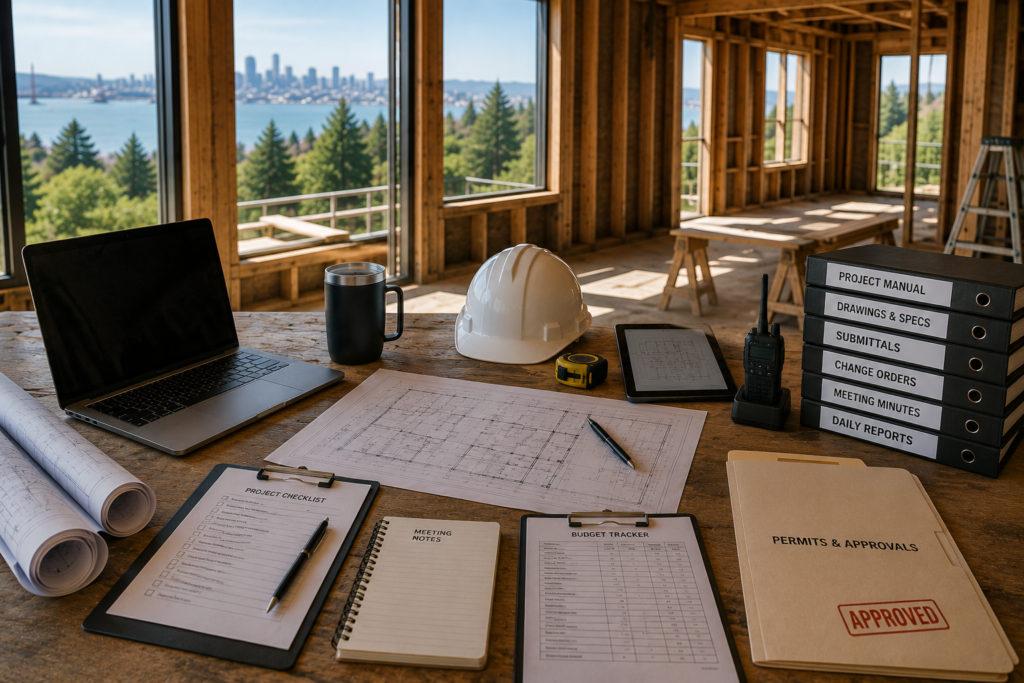
A construction project manager runs a Bay Area renovation through a small set of documents and a couple of software tools that together turn a chaotic process into something trackable. Homeowners often ask what they should be receiving from a PM each week — and the honest answer is: not many things, but the right ones. This is a walkthrough of the actual documents and tools a competent PM uses, what each one does, and what a homeowner should expect to see. For the broader picture of how project management fits into a Bay Area renovation, see the complete Bay Area construction project management guide.
The Short Answer
The core PM toolkit on a residential project is small:
- A scope of work document
- A schedule (usually a Gantt chart)
- A budget tracker with line items and contingency
- A submittal log for materials being approved
- An RFI log for questions to architects and engineers
- A change order log with pricing and signatures
- Weekly progress reports to the homeowner
- A punch list at closeout
The tools that hold these range from a well-built spreadsheet to construction management software like Buildertrend, CoConstruct, or Procore. The choice of tool matters less than the discipline of using one. A PM who keeps the project current in a basic spreadsheet beats a PM who has expensive software but updates it sporadically.
The Documents That Actually Run the Project
Here’s what each document does, why it matters, and what a homeowner should see in it.
Scope of Work
The contract scope is the single document everyone returns to when a question comes up. Is the kitchen island included? What gauge of electrical wire? Does the bathroom remodel include re-tiling the tub surround?
A good scope of work for a Bay Area residential project runs 8 to 30 pages depending on project size. It’s organized by trade, lists what’s included with specifics (“install 8-foot quartz island countertop, edge profile to be selected, vendor TBD”), and lists what’s specifically excluded (“kitchen appliance purchase and delivery is by owner; installation is included”). Vague scopes are the source of most disputes; precise scopes prevent most of them.
Project Schedule
The schedule is usually a Gantt chart with tasks, durations, dependencies, and a critical path. For a mid-sized Bay Area renovation, expect a schedule with 80 to 200 line items. It updates weekly.
The most important parts of the schedule a homeowner should pay attention to: the critical-path tasks (these are the items whose slippage will delay the whole project), the long-lead material milestones (orders placed, ships, arrives), and the inspection schedule. If the PM can’t tell you the current critical path off the top of their head, the schedule probably isn’t really being managed.
Budget Tracker
A line-item budget tracks committed cost (what’s been contracted), spent cost (what’s been paid), and remaining contingency. It’s reconciled monthly at minimum, weekly on active jobs.
The pattern to watch: how fast is the contingency being consumed? If you’re 30 percent into the project and 70 percent of the contingency is spent, something is wrong and a frank conversation needs to happen before more money is committed.
Submittal Log
Submittals are the manufacturer cut sheets, product data, and shop drawings that get approved before something is installed. The tile, the cabinetry, the windows, the faucets — each has a submittal that needs review.
A weak PM lets submittals slip and then has trades waiting for materials that weren’t approved. A strong PM has submittals reviewed and approved weeks before the trade needs them. The log shows the status of every open submittal.
RFI Log
RFI = Request for Information. When a contractor finds an ambiguity in the plans or a conflict between drawings, they submit an RFI. The architect or PM responds. On a complex project, an RFI log can have 30 to 100 entries.
For a homeowner, the RFI log is a quiet quality signal. Few RFIs on a complex job usually means either the plans were excellent or the trade isn’t catching issues (worse). Many RFIs with quick turnaround times usually means a well-managed project where issues are being caught and resolved. Many RFIs sitting open for weeks is a warning sign.
Change Order Log
Every change to the contracted scope gets a change order with: description, reason, cost impact, schedule impact, and signatures. No work happens on a change until it’s signed.
Some Bay Area projects accumulate 20 to 40 change orders over a renovation. That’s not necessarily bad — but every one of them should be in writing and approved. The disputes at the end of a project almost always trace back to “I told them to just go ahead” verbal changes that aren’t documented.
Weekly Progress Reports
The homeowner-facing artifact. A good weekly report includes: schedule status (on track / ahead / behind, with specifics), budget status (committed and remaining), this week’s accomplishments, next week’s plan, decisions needed from the homeowner, decisions made, and any risks or issues. It should be readable in five minutes.
A weak weekly report is a wall of busy text. A strong one is short, decision-focused, and actionable.
Punch List
The deficiency list at closeout. Walks-through happen, items get logged, the contractor fixes them, the PM verifies. A typical residential punch list has 30 to 80 items.
The punch list is closed when every item is signed off by both PM and homeowner. Final payment usually hinges on punch list closure.
The Software That Holds It Together
The major construction management platforms used in 2026 Bay Area residential work:
- Buildertrend — common for mid-sized residential GCs; good homeowner portal
- CoConstruct (merged with Buildertrend) — similar feature set, popular with custom-home builders
- Procore — more common on commercial and large residential
- JobTread — growing among residential GCs
- Houzz Pro — used by some design-build firms
- Spreadsheets (Google Sheets, Excel) — still used by experienced PMs, especially solo operators
The platform matters less than the discipline. A PM who updates Buildertrend daily is more useful than one who has all the platforms and updates none of them. Ask the question before signing: how often will the homeowner portal be updated, and what will I see in it?
Common Questions About Construction PM Tools and Documents
Do I Need Access to All These Documents?
You should have access to the scope, schedule, budget, change order log, weekly reports, and punch list. The submittal log, RFI log, and internal trade documents are usually internal to the PM team unless you ask. Ask if you want them.
What Should I Do With a Weekly Report I Don’t Understand?
Ask. The point of the report is to keep you informed, not to demonstrate complexity. A PM who can’t explain their own report in plain language has a communication problem worth flagging.
Are Spreadsheets Enough for a Mid-Sized Project?
Yes, in the hands of an experienced PM. Spreadsheets become a problem when the project gets large enough that multiple people need to update simultaneously, or when you want photos and document attachments integrated. For a typical Bay Area kitchen or single-room remodel, a well-built spreadsheet is plenty.
Bottom Line
The PM toolkit isn’t fancy. It’s a small set of documents, used consistently, that keep a Bay Area renovation from drifting. Homeowners don’t need to learn the software — but they should know what to ask for and what to expect to see each week.
If you’re evaluating contractors and want to ask better questions about how they actually run projects, Top Tier is happy to walk through what our weekly reporting and homeowner portal look like in practice. A 15-minute look is usually clarifying.
By Top Tier Building Services Inc.
Licensed Bay Area General Contractor License #1146790 serving homeowners, HOAs, and property managers from Castro Valley. Top Tier delivers design-build, renovation, and maintenance services across 14 specialty trades.